Bringing this to the top again- a handy user checklist.
1. Make sure your phone or device is fully charged before coming onsite.
2. iPhone/ iPod Touch/ iPad :- Download the Notes for Walking app PRIOR to coming onsite via a WIFI connection. App is 60MB in size so if you block larger apps you will need to unblock that. Note AR mode ONLY works on phones.
3. Android:- Download Junaio & search for Notes for Walking channel. Favourite it so it’s easily found when onsite.
4. All Phone users- make sure GPS/ location services are enabled on your phone otherwise AR mode will not work & unexpected things may happen. App downloaders will be prompted to allow Notes for Walking to use location- say YES.
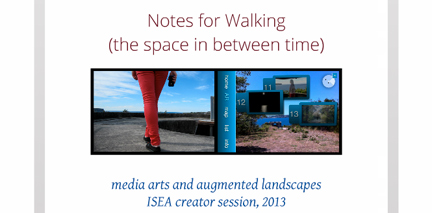
5. IOS users – iPhone, iPodTouch & iPad can check their app before coming- it should launch to the Home screen and show the 4 options (AR, MAP, List, Info). Select List view & press on a couple of the Notes ( labelled 1, 2, 3 up to 13) to check that video content is happily there. If it doesn’t load main screen, delete app & redownload.
6. Go to Middle Head & launch app at The Gate. Android users should launch Junaio at the gate & then search Junaio for the Notes for Walking channel (hopefully in your favourites). Pls note that each video note is approx 4MB in size so may incur data charges. There is WIFI available at The Gate- details onsite.
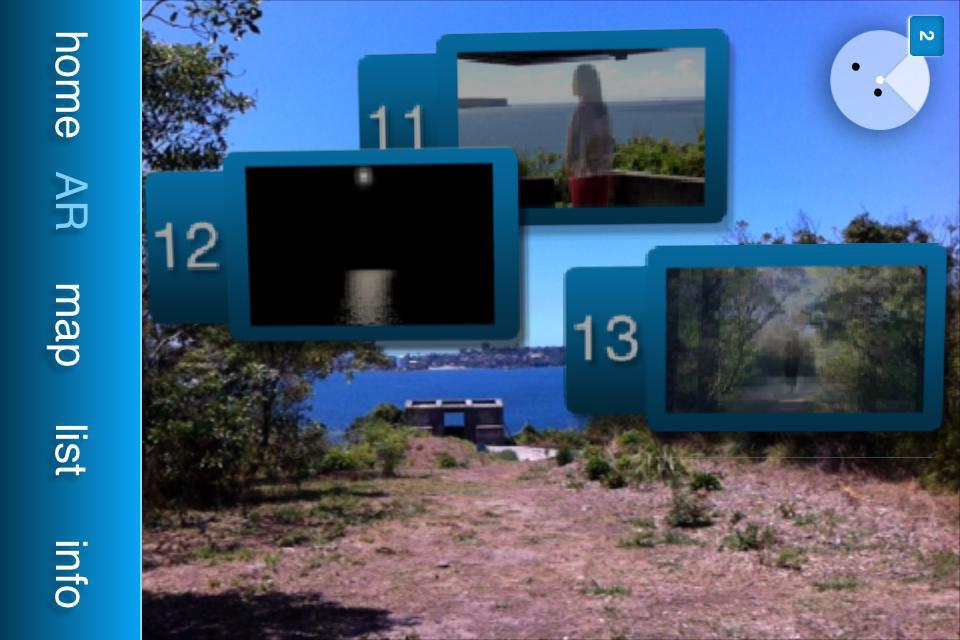
7. AR view can take a little while to load. Feel free to wave your phone around looking at the sky- yes, I said sky- the notes will float into view. Otherwise view via Map or List view if any AR delays.
8. The Junaio channel also has a list view to easily access the Notes onsite. They will come down via your phone provider so there is more delay than IOS users who have all video already downloaded to their device..
9. If your screen goes to white you probably do not have location services ON in your phone settings. If so enable Location settings & relaunch. Or restart device if really necessary- Power Down & Power Up. Resets everything & List view will be available again.
1o. If you are still having difficulties you can view all of the Notes posted simply as tiny mp4 video files via the Notes page here. Pls note each video note is approx 4MB in size so may incur data charges.
11. Wander the location, use List, Map &/ or AR mode to view the 13 Notes. Remember AR mode ONLY works on phones!